

Image: Meta
Der Artikel kann nur mit aktiviertem JavaScript dargestellt werden. Bitte aktiviere JavaScript in deinem Browser und lade die Seite neu.
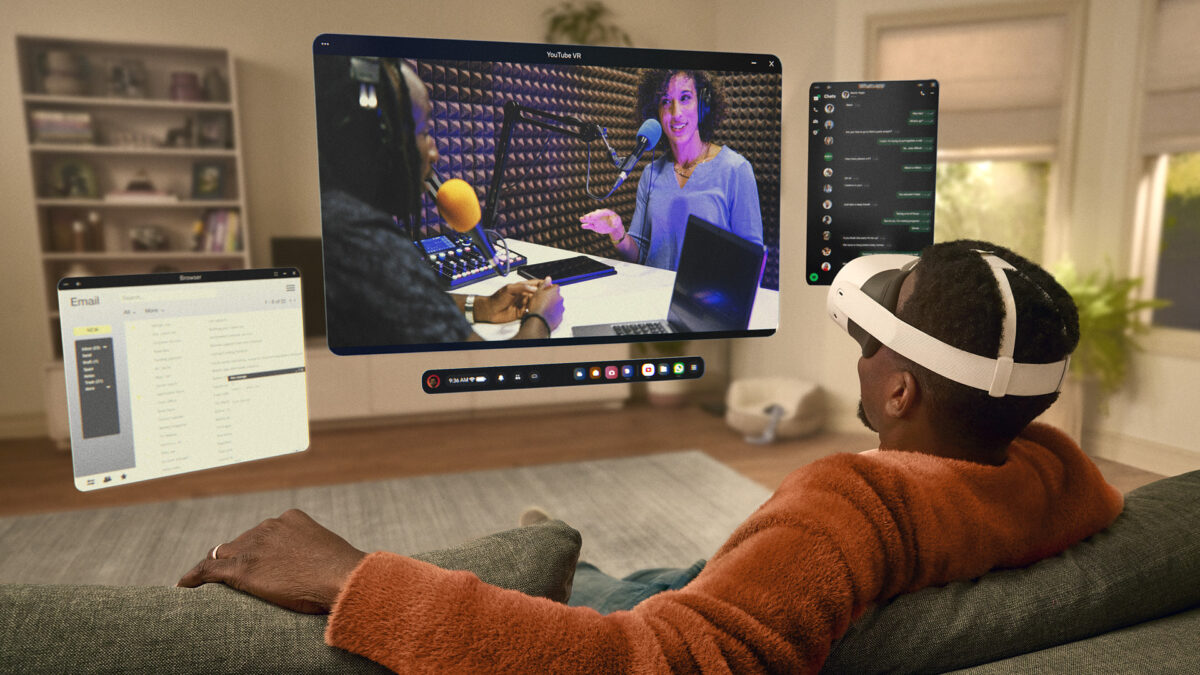
Quest owners who use the anchor button on a window will find it gone after Horizon OS v2.9. Meta has replaced it with snapping: move a window close to a wall and it attaches there.

Meta press image of a Quest 3S user with a virtual screen. In v2.9, windows snap to nearby walls. Image: Meta
The update is rolling out gradually to Quest 2, Quest 3, Quest 3S and Quest Pro from this week, according to Meta. Not every headset will have it yet.
Windows now snap to walls and are managed from a new Window manager
Apps now open as windows in the space around you and are easier to drag. Each window has its own grab handle, with buttons beside it for more options or to close it.
A new Window manager in Quick settings lists every open window. It can put three windows side by side or stack them. Click the top of a stacked window to cycle through them. Meta tried this layout in the public test channel first, as we reported in September.

Quest 3S headset and Touch controllers. v2.9 adds a troubleshooter for controllers that stop responding. Image: Meta
An interrupted boundary scan now falls back to your previous boundary
If boundary setup or a space scan is cut short, the headset returns to your previous boundary. If there is none, it uses a Stationary boundary.
Owners whose Touch controller stops responding also get a troubleshooter. It is under Settings, Devices, Controllers.

Quest 3 and 3S get the most from v2.9, including the QR scanner and the Surface Keyboard changes. Image: Meta
Quest 3 and 3S owners get a QR scanner and a better virtual keyboard
Quest 3 and 3S gain a built-in QR code scanner. You open it from Quick controls, the Camera app or search. The Surface Keyboard and Touchpad, still an experimental setting, now works in fully virtual environments as well as in passthrough.
Search can now change settings directly, even offline. Type Wi-Fi, Bluetooth or Travel mode and the switch appears in the results.
Some classic VR Home environments are back, rebuilt for the current Home. You pick one under Settings, then Home. Apps that need you to swap between controllers and hand tracking now tell you so with a notification.
Two changes were not in the test build: those notifications, and Meta AI in six more countries, including the UK and Australia.
Note: Links to online stores in articles can be so-called affiliate links. If you buy through this link, MIXED receives a commission from the provider. For you the price does not change.