

RPS has received criticism recently for covering Arc Raiders, an extraction shooter, using writers who don’t normally like extraction shooters. Allow me to rectify this, by instead bringing you an appraisal of Arc Raiders on the Steam Deck as someone who doesn’t know how to aim with thumbsticks.
My actual excursions into these robot-conquered wastes have thus been going terribly. And yet, it’s still abundantly clear that Arc Raiders is about as good a fit for the Deck – and, by extension, most handheld PCs – as you could realistically expect from a modern, high-fidelity, Unreal Engine 5-powered multiplayer lootshoot. Even if, at first, it doesn’t seem like it will even launch.
Luckily, that’s an easy fix. At the time of writing, Arc Raiders needs Proton Experimental – the most cutting-edge version of Valve’s SteamOS compatibility software – to run. But that’s just a matter of opening the game’s Properties menu, scrolling to the Compatibility tab, and selecting Proton Experimental as a forced compatibility tool. Exit the menu and it’s ready to roll with no damage done, unless you count having to repeat “compatibility” three times in one paragraph.
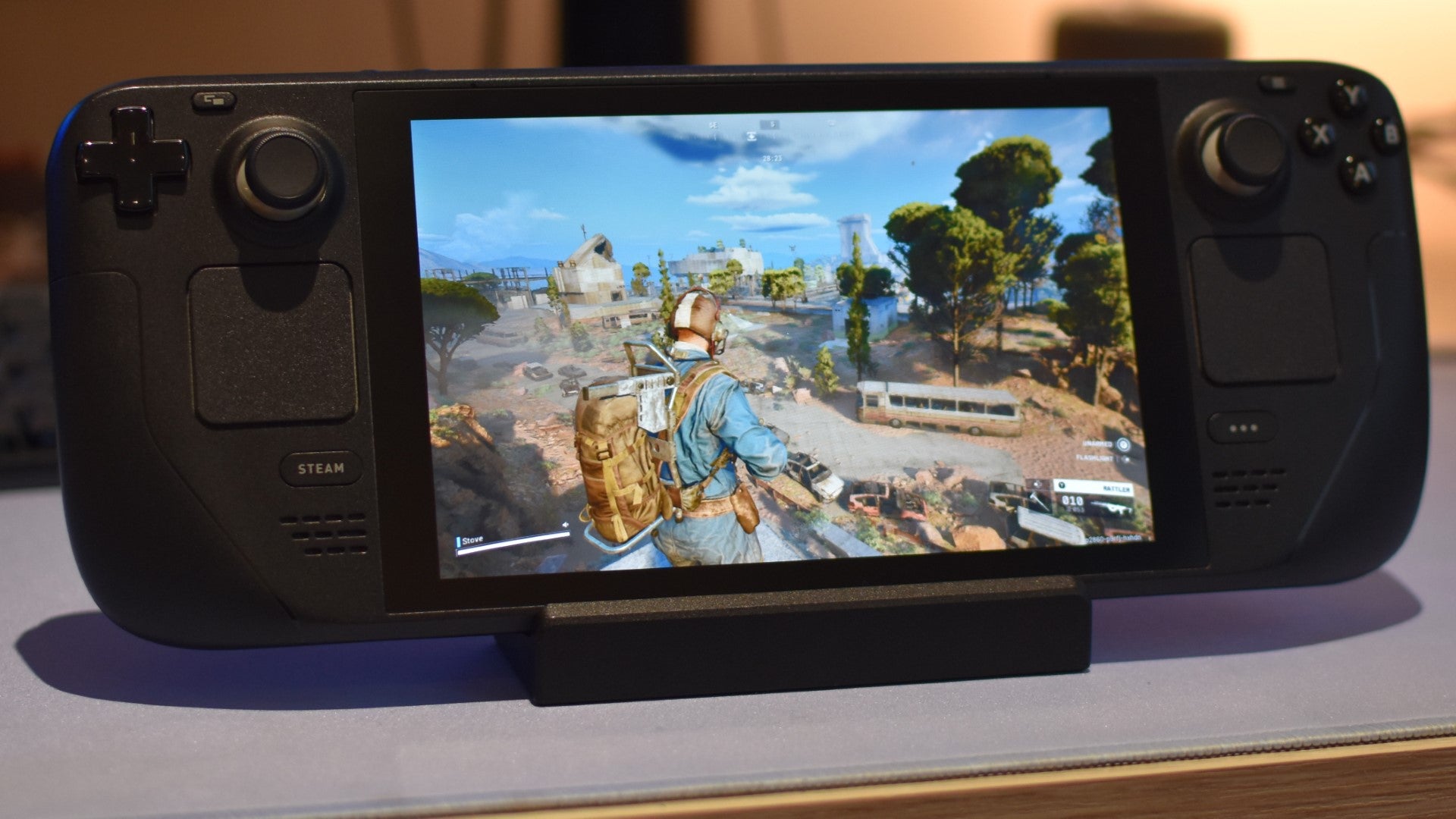
Once you’re in, it’s easy goings. Arc Raiders automatically sets itself to the Steam Deck’s native 1280×800 resolution, ensures a playable start by defaulting to the Low quality preset, and despite some keyboard-specific glyphs in the initial setup process, refuses to make an afterthought of gamepad controls. Smart use of contextual input changes and radial menus compensate for the lack of keys, and it readily employs both the Deck’s touchpads: the left is a D-pad mirror, rich in shortcuts, and the right offers an alternate aiming method to those of us who suck with sticks.
Crucially, it beats the UE5 odds to perform rather decently on those default settings, usually flitting within the 40-50fps range on Low quality and TAAU. There are some technical blemishes: traversal stutter is fleeting but common, and on a few occasions, tinkering with the graphics mid-match sent me crashing back to SteamOS. Arc Raiders also gets quite a thirst on, draining my original, LCD-screened Steam Deck’s battery from 100% to flat in a relatively brisk 1h 21m.
Still, the upside of needing a reliable online connection to so much as boot the game – which is otherwise hardly a mark in Arc Raiders’ favour, especially for handheld play – is that you’re probably never going to stray too far from mains power. And the pain of crashing is at least dulled by being able to reconnect to lost sessions, saving your loot so it can be stolen off your corpse later, as intended.

Arc Raiders Steam Deck settings guide
Ideally, some of those are the kinds of foibles that can be smoothed out with patches, though you can fine-tune Arc Raider’s Steam Deck performance right now. I suggest going for a ‘prettier yet upscaled’ approach, whereby the framerate headroom afforded by switching to speedy AMD FSR 3 lets you bump up some of the individual quality options to their (often much better-looking) Medium settings. Here’s the full list of what I’ve settled on, following some live testing:
- Resolution scaling method: AMD FSR 3
- AMD FSR 3 Quality: Balanced
- Motion blur: Disabled
- Nvidia RTX Global Illumination: Static
- View distance: Medium
- Anti-Aliasing: Medium
- Shadows: Medium
- Post-processing: Low
- Texture: Medium
- Effects: Low
- Reflections: Medium
- Foliage: Medium
- Global illumination resolution: Low
I’ve opted for FSR 3 over TAAU or TSR upscaling because although its antialiasing could be crisper, it still looks better (to my eyes) than TAAU’s blurriness, while TSR looks sharp but consistently runs 5-6fps slower. All told, these settings should get you a similar 40-50fps as the default Low preset, sometimes squeaking into 50-55fps in less demanding areas – and all with a noticeable detail upgrade.
Again, that’s not bad at all, given the better-performing UE5 games on Steam Deck still tend to need flattened quality settings and even more aggressive upscaling tech to hit 30fps. Arc Raiders sails past that baseline, and even if its online requirement and battery slurpage mean it’ll never be the ideal handheld extraction shooter, it makes a nice break from the bellowed hardware demands of other contemporary action games. So long as you remember to put Proton Experimental on it, anyway.